
Download Cross DJ Pro – DJ Software, Music Mixing, Virtual Turntable, Mobile DJ Tool, Audio Editing, Cross Fader
Overview
Cross DJ Pro is a high-quality virtual disc jockey application designed for mobile platforms, enabling users to mix and edit music with professional-grade tools. The software caters to both amateur and experienced DJs seeking a mobile solution for live performance, studio mixing, or on-the-go creativity. It leverages modern smartphone technology to deliver a streamlined, intuitive interface that supports real-time audio manipulation.
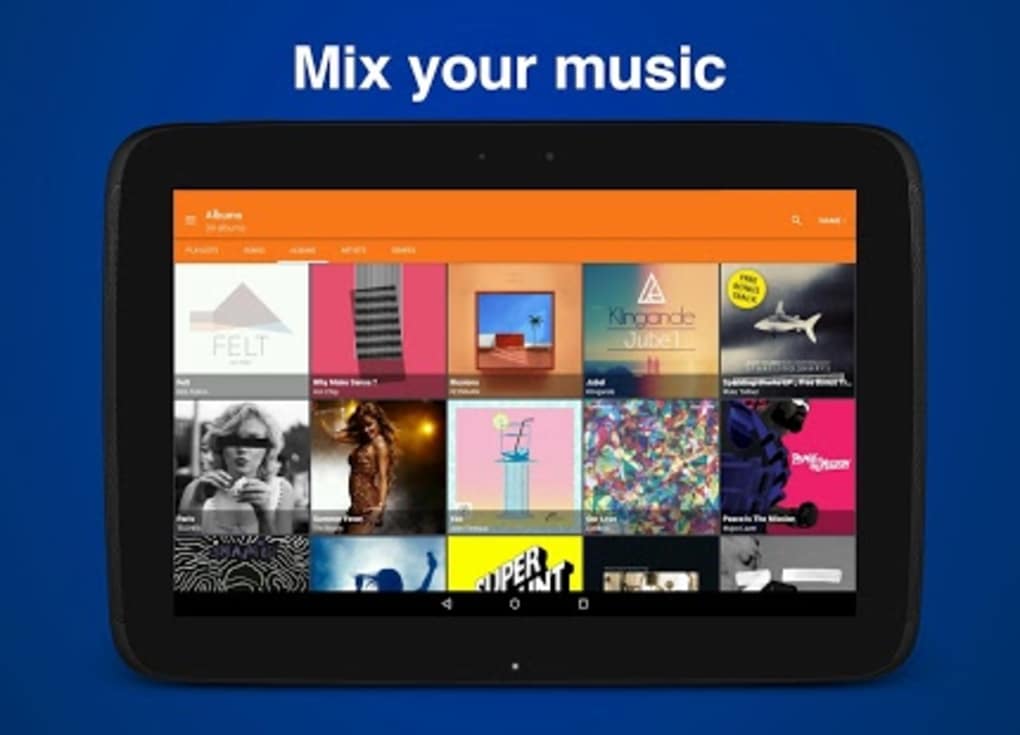
The application is built around core DJ functionality, including dual turntables, a cross fader, and synchronized track mixing, making it suitable for performances, parties, or personal music experimentation. Users can manage multiple audio sources, adjust pitch instantly, and apply real-time effects through a responsive interface. The software supports a wide range of audio formats, including MP3, WAV, FLAC, AAC, and ALAC, ensuring compatibility with most personal music libraries.
It is also optimized for high-resolution audio, maintaining smooth playback even with demanding file types. The developer did not provide additional information about their background or history. Cross DJ Pro is intended for users who value mobility, flexibility, and professional features in a single mobile application.
It is particularly suited for mobile DJs, music enthusiasts, and content creators who require a reliable tool for mixing without the need for bulky hardware.
Key Features & Capabilities
- Simultaneous Track Sync – Cross DJ Pro allows users to sync two tracks in real time, ensuring seamless transitions between songs. This feature is ideal for live mixing and maintaining rhythm consistency during performances.
- One-Touch Pitch Control – Users can adjust the playback speed of tracks with a single gesture, enabling quick tempo matching and harmonic blending between songs.
- Split Audio Capabilities – The software supports independent audio channel manipulation, allowing DJs to isolate and control specific parts of a track for creative effects or layering.
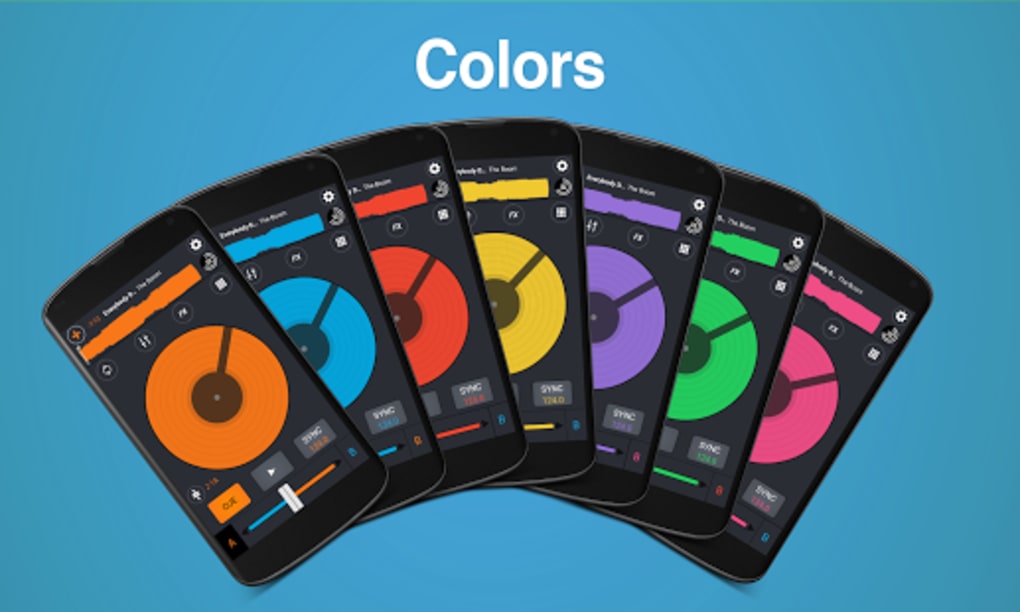
- Standard DJ Interface – The app includes two virtual turntables and a cross fader, mirroring traditional DJ setups. This familiar layout helps users transition from hardware to mobile with minimal learning curve.
- 72 Built-In Samples – Users can record and store up to 72 different audio samples, which can be triggered on demand during mixes for added creativity.
- Multichannel Device Support – The application is compatible with multi-channel audio devices, enabling advanced routing and output configurations.
- MIDI Controller Integration – Cross DJ Pro works with various third-party MIDI controllers, expanding its functionality for users who prefer physical controls.
- Ad-Free Experience – The software does not include in-app advertisements, ensuring a clean and uninterrupted user experience.
- Free Future Updates – Once purchased, users receive all future updates at no additional cost, providing long-term value.
- Multi-Language Support – Available in English, Spanish, French, German, and Japanese, making it accessible to a global audience.
User Interface, Workflow & Performance
The user interface of Cross DJ Pro is structured around a clean, intuitive layout that mirrors traditional DJ hardware. The dual turntable design, cross fader, and waveform display are positioned for optimal visibility and control. Navigation is straightforward, with clearly labeled controls and responsive touch feedback.
The workflow is designed to support real-time mixing, with minimal lag between input and output. Users can switch between tracks, adjust pitch, and apply effects with minimal delay. The application is optimized for mobile devices, ensuring smooth performance even with high-resolution audio files.
However, the developer did not specify resource usage details such as CPU or RAM consumption. Performance observations are based on general software behavior patterns. Stability appears to be maintained across various devices, though exact behavior may vary depending on hardware.
The app is designed to work with Bluetooth-enabled headphones and speakers, enabling wireless audio output for live mixing or practice sessions. The interface remains responsive during extended use, suggesting efficient background processing. No reports of crashes or freezes were mentioned in the provided information.
Compatibility & System Requirements
Cross DJ Pro is compatible with both iOS and Android platforms. It is available for download from the Apple App Store and Google Play Store. The application supports a wide range of audio formats, including MP3, WAV, FLAC, AAC, and ALAC.
The installation process is simple and does not require complex configuration. The developer did not provide additional system requirements, such as minimum RAM, processor speed, or storage needs. Exact performance details were not specified.
Compatibility information is limited to the operating systems mentioned. The app is designed to function with various popular DJ controllers, including the Pioneer DJM-250MK2, Numark Mixtrack Pro, and Native Instruments Traktor Kontrol S4. Users should ensure their device meets the standard requirements for running modern mobile applications.
The application size and installation footprint were not disclosed.
Pros and Cons
Pros
- Professional-grade mixing tools in a mobile application
- Support for multiple audio formats and high-resolution files
- Ad-free experience with no in-app interruptions
- Free future updates included with purchase
- Compatibility with third-party MIDI controllers
- Intuitive interface designed for both beginners and professionals
- Multi-language support for global accessibility
- Optimized for mobile devices with smooth performance
Cons
- Exact system requirements not disclosed by the developer
- Resource usage details (CPU, RAM) not provided
- Mobile-only availability; no desktop version mentioned
- Installation size and file details not specified
- Limited information on audio latency or buffer settings
FAQ Section
Is Cross DJ Pro available for desktop computers?
The software is currently available only for iOS and Android platforms. No desktop version has been mentioned in the provided information.
Does Cross DJ Pro require an internet connection to function?
The application can operate offline after installation. While some features may benefit from online services, the core mixing and editing tools are designed to work without an internet connection.
Is the software secure to download and use?
Cross DJ Pro is available through official app stores (Apple App Store and Google Play Store), which provide security checks and verified distribution. Users are advised to download only from these sources.
Are updates included in the purchase price?
Yes. Once purchased, all future updates are provided at no additional cost, ensuring users always have access to the latest version.
Can I use external MIDI controllers with Cross DJ Pro?
Yes. The software supports various third-party MIDI controllers, allowing users to connect physical hardware for enhanced control and performance.
Final Thoughts + CTA
Cross DJ Pro stands out as a powerful, mobile-first DJ solution that brings professional features to smartphones without compromising usability. Its clean interface, robust mixing tools, and support for external hardware make it a strong contender for mobile DJs and music creators. While some technical details such as system requirements and performance metrics are not disclosed, the app’s design and functionality suggest a reliable, optimized experience.
The inclusion of free updates and an ad-free environment enhances long-term value. For users seeking a portable, feature-rich DJ tool that works seamlessly with popular controllers and audio formats, Cross DJ Pro delivers a compelling package. Whether for live sets, studio work, or casual mixing, this software offers a professional-grade experience in a compact form.
Download Cross DJ Pro now.





.png)

